SQUAD
Party System, SERVER, AND Controller Implementation
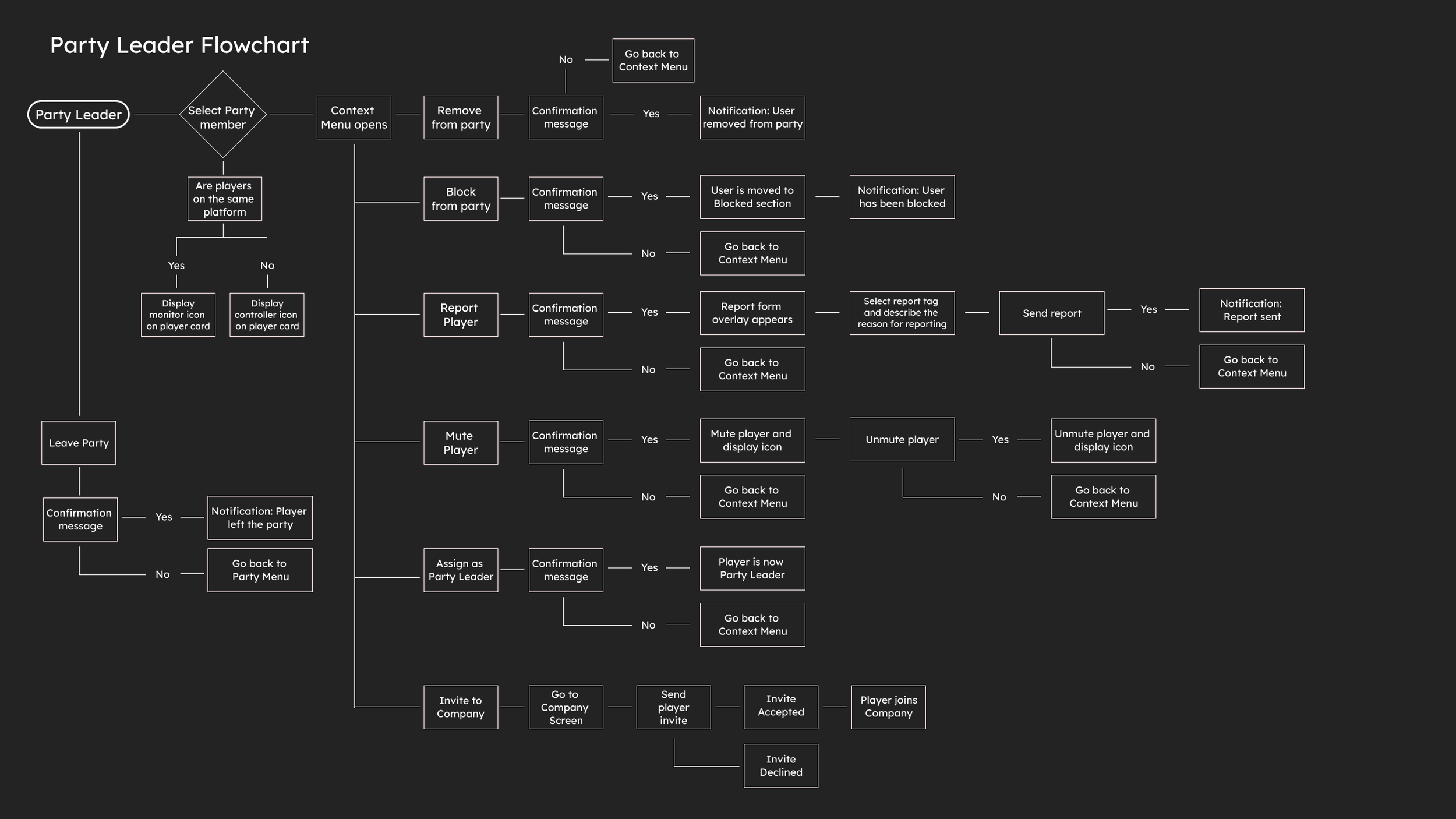
Party Leader Flowchart for Squad Party System
I worked creating the Party Menu for crossplay experiences for Squad. The challenge was communicating to players all the options of the party system menu and facilitate finding friends, creating a party, blocking and reporting players and receiving invites and notifications.
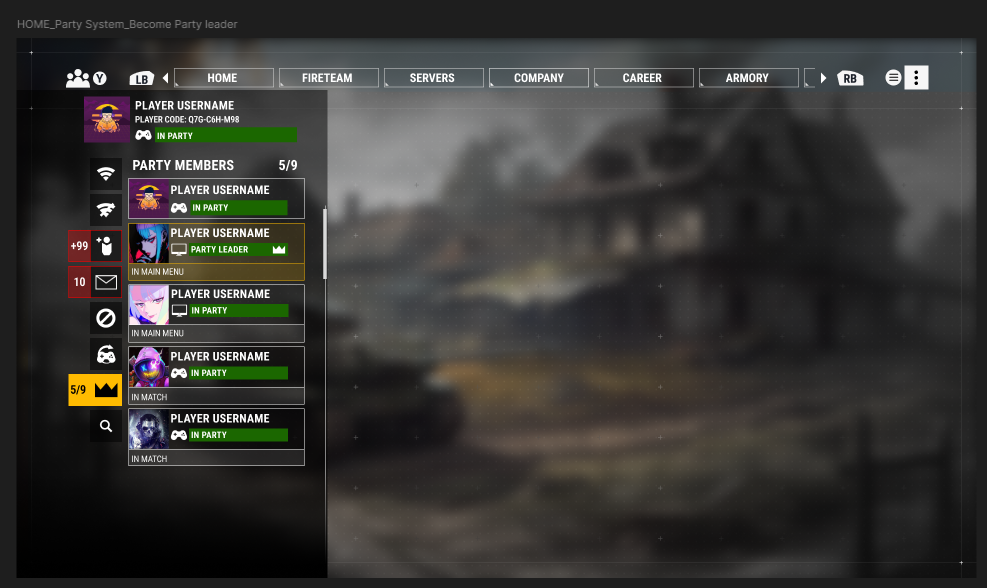
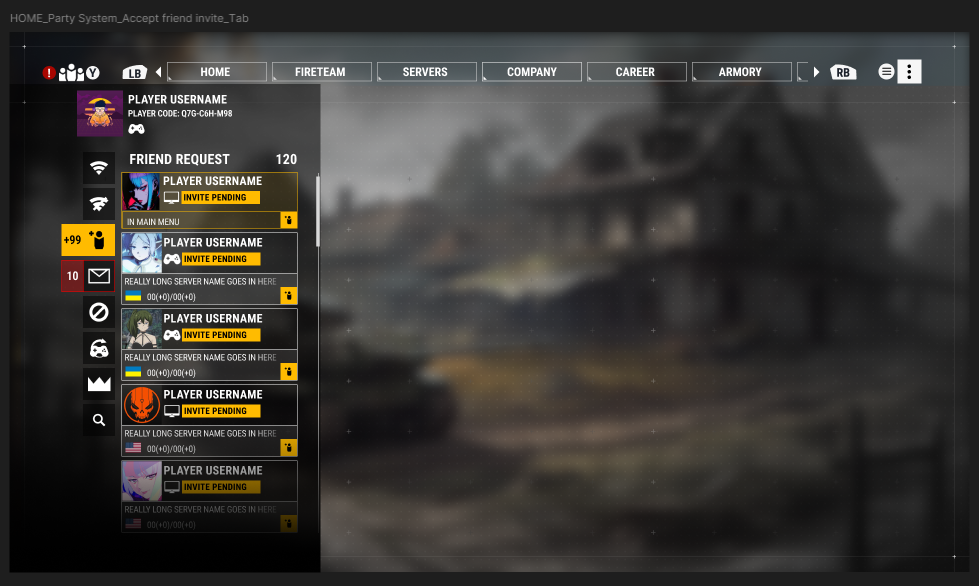
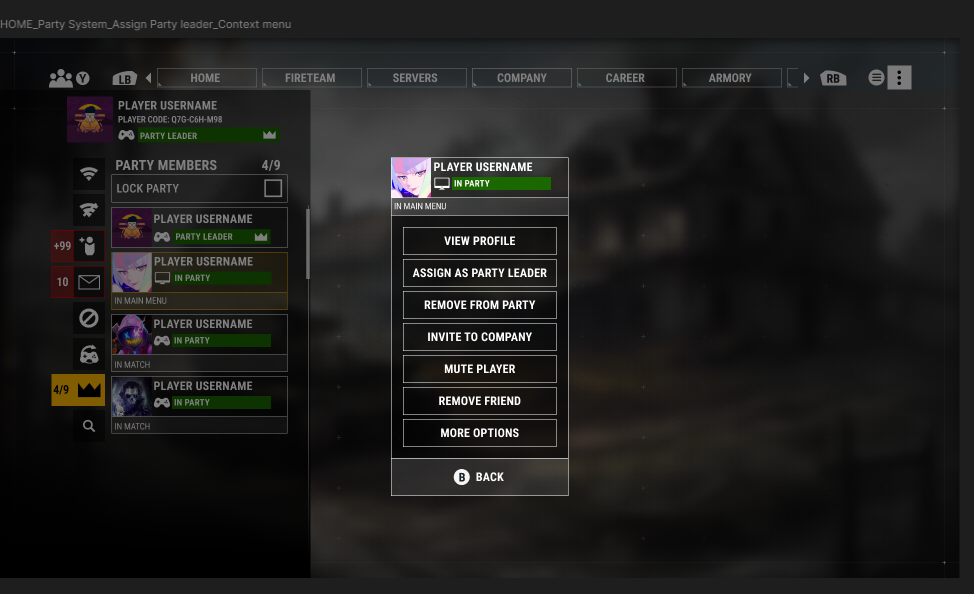
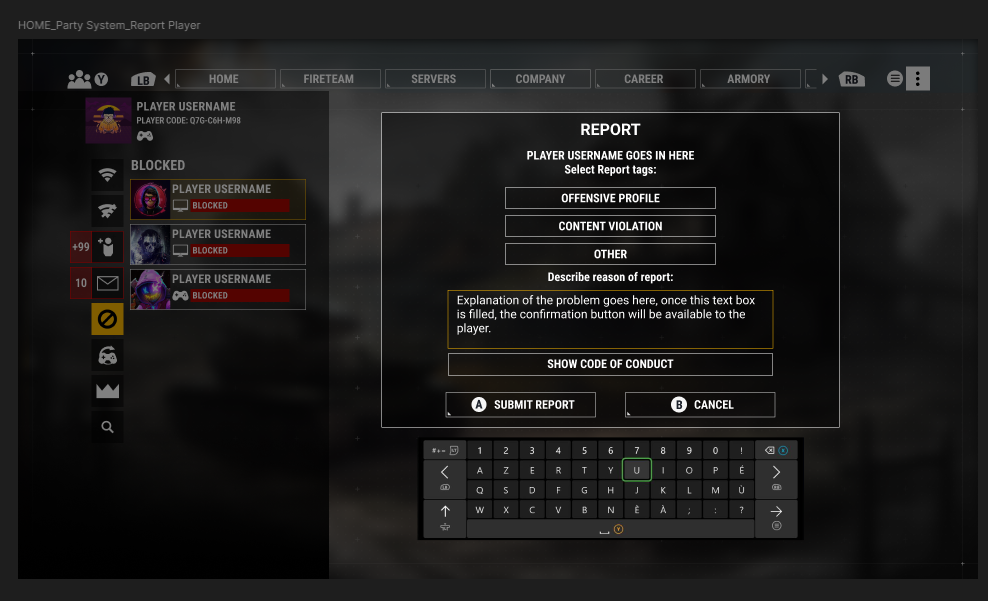
As the player moves through the different icon options :
Online, Offline, Friend Invite, Party Invite, Notifications, Blocked Players, Recent Players, Party and Find Friends.
Each title on the Menu adapts to indicate which tab the player is currently on, facilitating the learning curve on the icons, as well as having high contrast numbers to indicate how many players are in a party, number of notifications and friend invites.
Selected players and tabs are highlighted in yellow to follow established brand guidelines.
Player card updates to indicate the status of the players (In Party, Blocked, Invite Pending), adding in text to aid colorblind players instead of relying in just color.
Selected tab color is switched from white to black to further indicate a selected tab, numbers are capped at +99 to avoid cropping problems with text on different screen sizes, however, the actual number will always be showned next to the title to reflect the final number.
CONTROLLER BINDING AND IMPLEMENTATION
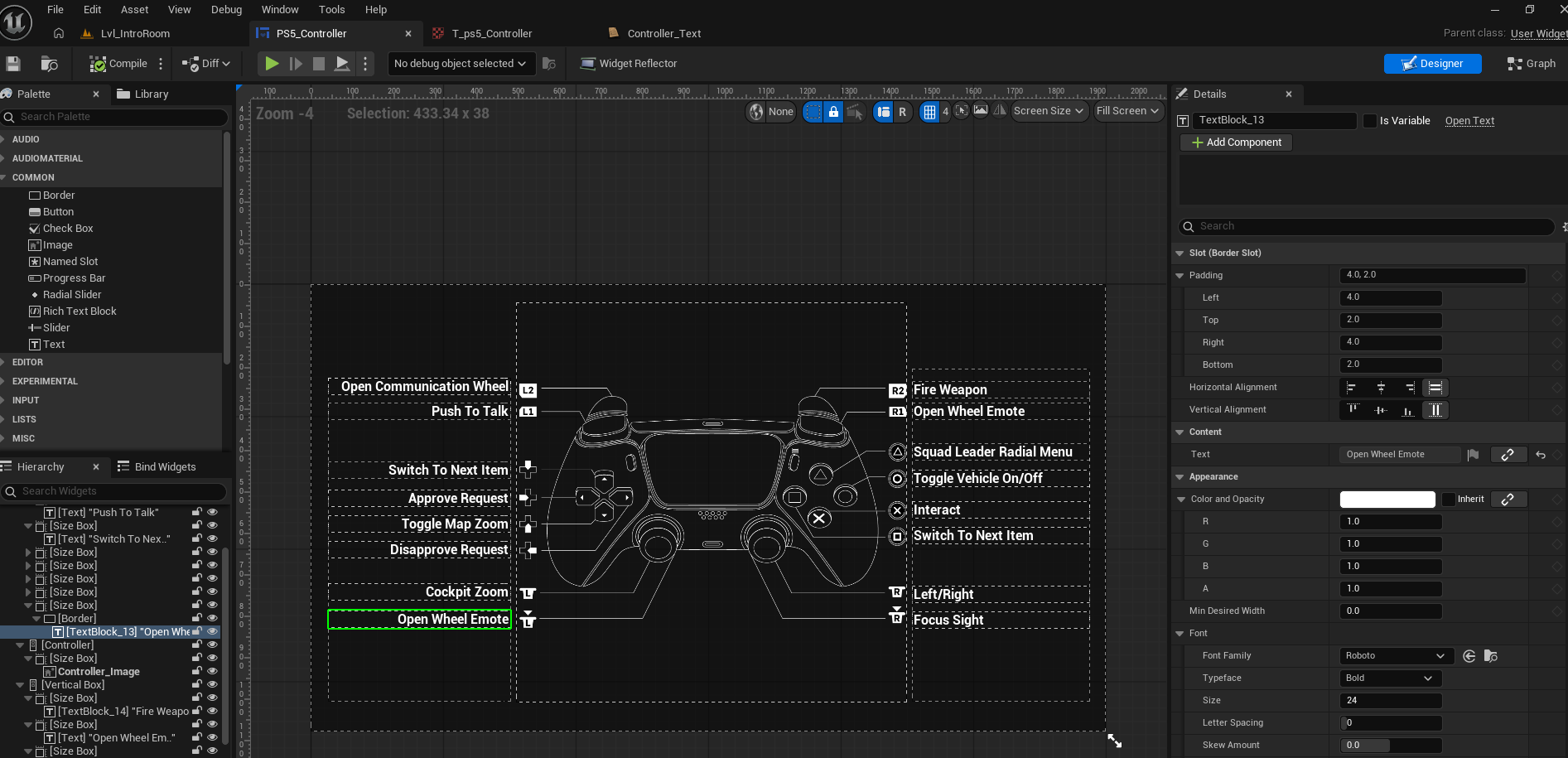
Controller binding Blueprint using Wi
Created controller bindings for gameplay using Figma to prototype and present to the team, once approved I implemented them using Unreal 5.8.2, testing scalability, safe zone padding and background contrast.
Text was added using a String Table to facilitate localization and memory efficiency, size boxes have padding on the top and bottom part to prevent any cropping across multiple screen sizes and image textures were sized by the power of 2 and added as Common UI.
SERVER DESIGN
Designed the interactivity in menus selecting a server, interacting with a Blocked server and the flow to unblock it.
- Players are able to select an option from our server tab, each tab updates the title, facilitating the learning curve in iconography of the game.
Players are able to select an option from our server tab, each tab updates the title, facilitating the learning curve in iconography of the game.
Upon selecting the Blocked icon, the tab menu will expand to reflect the selected option and button interaction will invert colors to further indicate the selected tab.
Upon selecting a server from the Blocked Server list, a side panel will appear with the information about the server (Title, Tags, Rules, Game version, Block/Unblock options)
From this point layers can choose to Unblock a server, refresh the screen and see only their Blocked Servers.
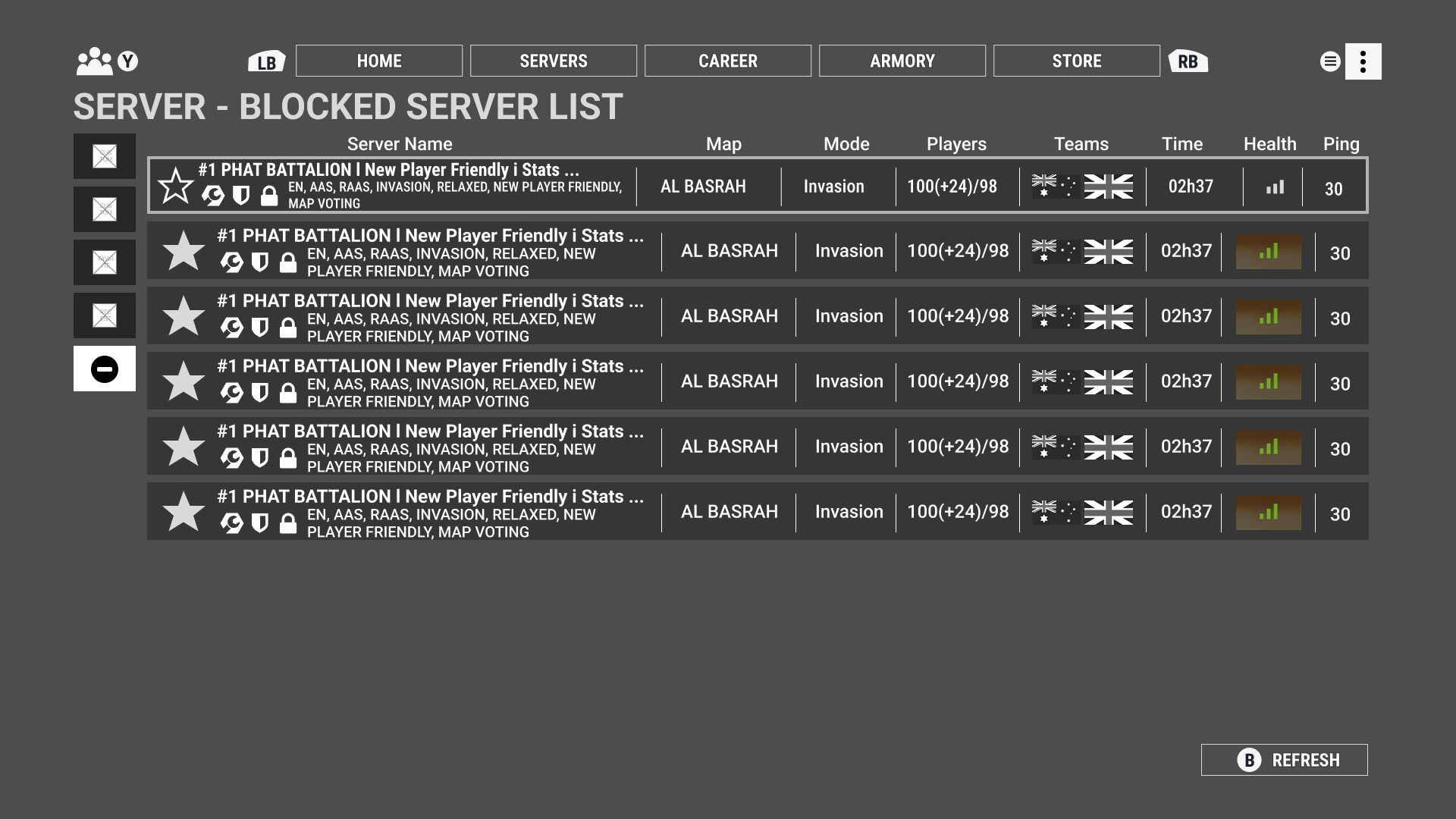
Server List, player selects the Blocked option in the tab menu
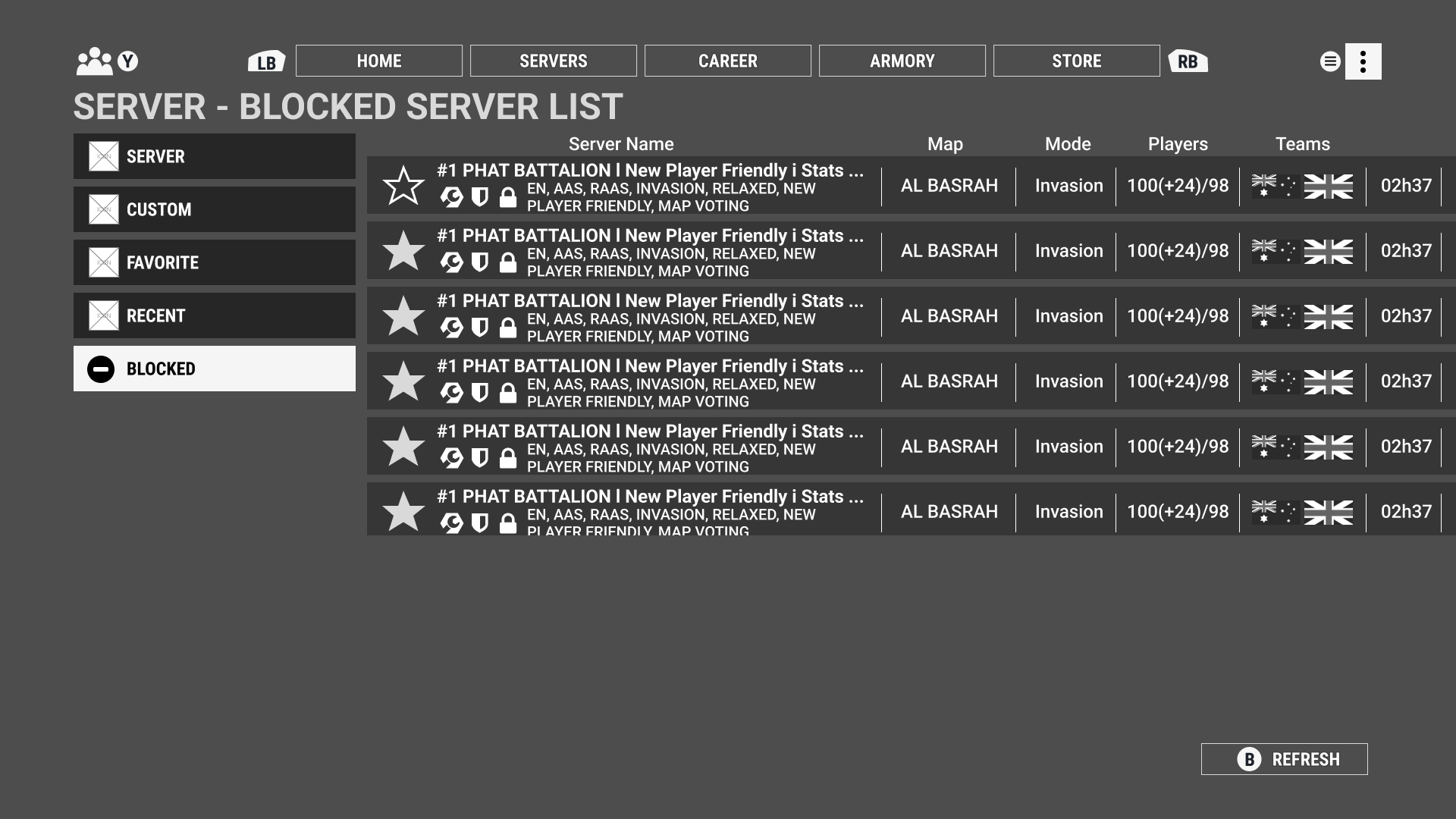
After selecting the tab, the animation will play and expand the tab menu to reflect icon and text describing the options.
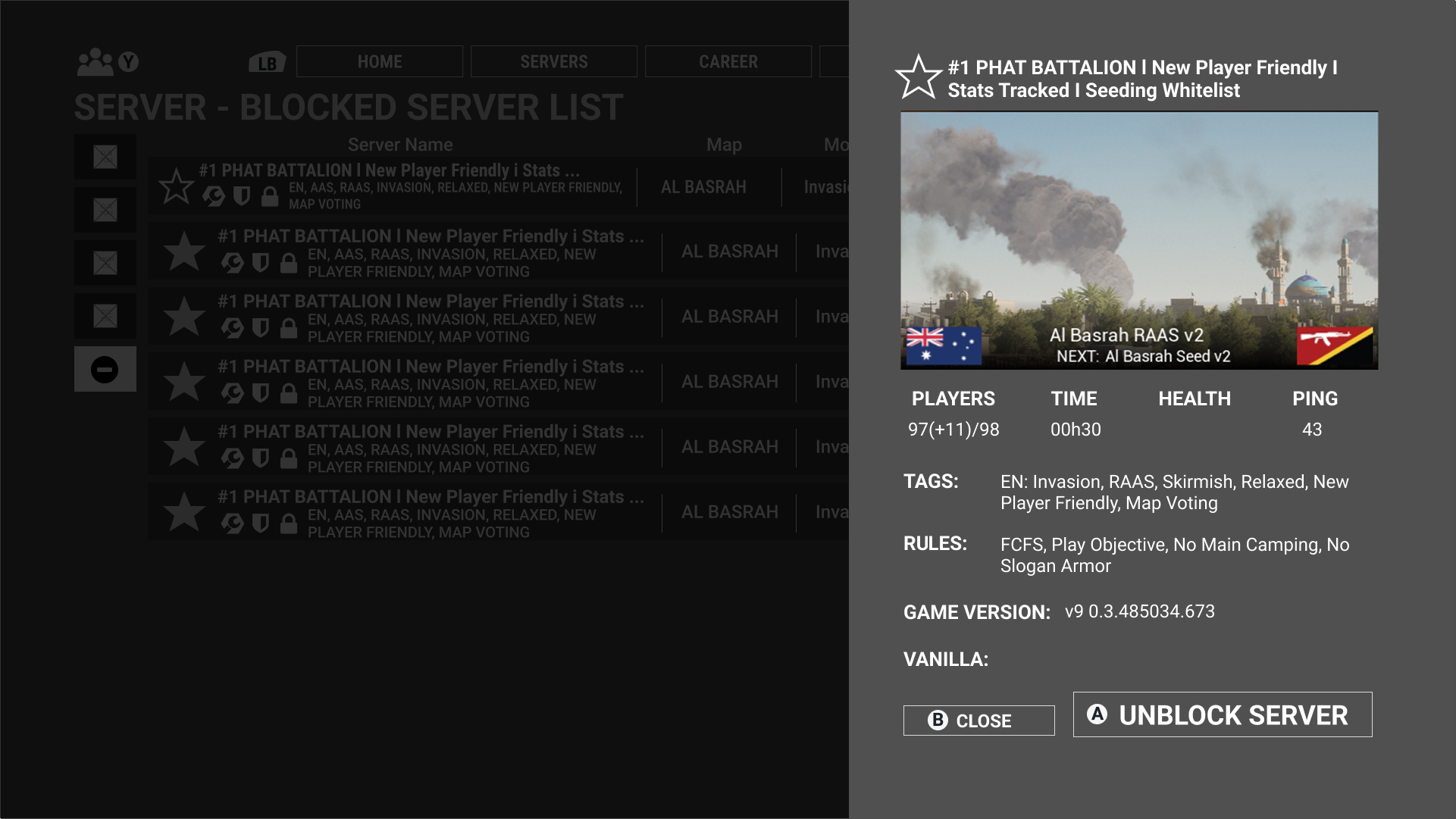
Selecting a Blocked server will open a side menu with the Server information and offer the option to Unblock the server.